What makes the WiiM Bar different from a typical soundbar?
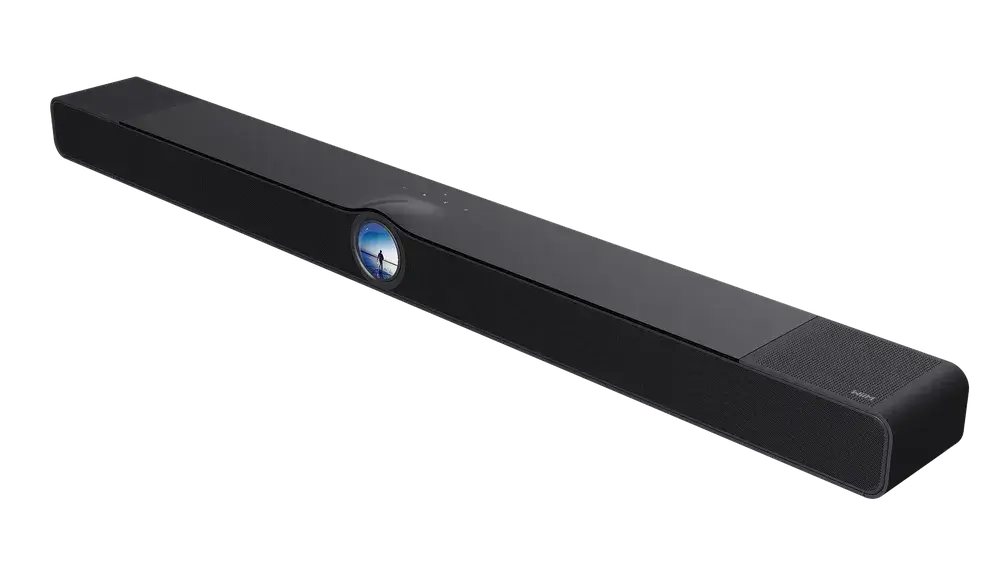
WiiM Bar is a display-first smart soundbar, meaning its 2.1-inch Hi-Res round touch screen is a primary control surface rather than a secondary status light. Most soundbars in this category depend on a phone app or a small handset for status and control, so the on-device screen is the clearest point of difference: album art, track information, EQ, and Smart Presets sit directly on the unit, next to proximity-lit capacitive buttons for volume, playback, and source switching. The second differentiator sits alongside this: the WiiM Bar starts life as a 3.0.2 Dolby Atmos and DTS:X system and expands to 5.1.2 with separately sold WiiM surround and subwoofer hardware, so buyers aren't locked into the bar's launch configuration. Together, these two traits put the WiiM Bar in a different category from a bar bought purely for TV audio: it's a controllable, expandable hub rather than a fixed appliance.
Which WiiM devices expand the system to a full 5.1.2 home theatre?
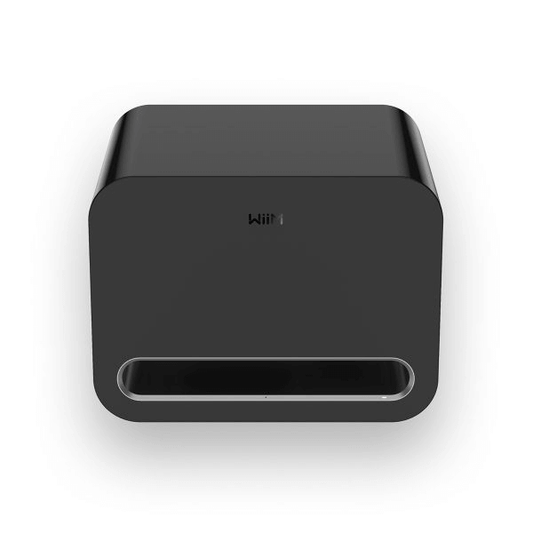
The WiiM Bar's expansion path runs through WiiM's own surround and subwoofer devices, sold separately from the bar. Its native 3.0.2 layout already includes top-firing height channels for Dolby Atmos and DTS:X, and compatible WiiM surround speakers add rear channels wirelessly, over the existing WiFi network rather than through speaker cable, while a compatible WiiM subwoofer adds low-frequency reinforcement the same way. This wireless approach means a 5.1.2 layout can be assembled in stages: start with the bar's 3.0.2 performance on its own, then add a subwoofer, then surrounds, as budget or listening needs change, without swapping out the core unit at any point.
How does the WiiM Bar connect to a TV, other sources, and a home network?
The WiiM Bar's primary TV connection is HDMI eARC, which carries LPCM, Dolby Atmos, Dolby TrueHD, Dolby Digital Plus, AC3, DTS, and DTS:X from a compatible television or source device. Optical input, a line-in analogue input, and a software-configurable USB Audio input sit alongside HDMI eARC, so the bar can serve a mixed system that includes older, non-Atmos sources as well as newer ones. On the network side, WiFi 6E across the 2.4 GHz, 5 GHz, and 6 GHz bands and Bluetooth 5.4 with LE Audio (added through a software update) cover streaming and short-range pairing, and a 10/100 Mbps Ethernet port gives a wired alternative for households where WiFi congestion affects reliability. AirPlay 2 is not supported, which matters for buyers who cast primarily from Apple devices and rely on it for whole-home audio.
What do you need to set up the WiiM Bar?
Setup of the WiiM Bar happens through the WiiM Home App over WiFi or Ethernet, which configures the network connection and account before the bar joins a wider WiiM multi-room system. For placement, the bar is designed to sit on a TV console or mount to a wall, and wall-mount hardware is included, so wall mounting doesn't need separately purchased hardware. Once connected, owners add compatible surround speakers or a subwoofer through the same app, which groups new devices with the bar automatically for synchronised playback rather than requiring manual channel assignment.
Who is the WiiM Bar designed for?
WiiM Bar suits a household that wants one system to cover TV audio, music streaming, and whole-home listening instead of running separate devices for each. Its intended uses span movies and gaming through HDMI eARC, streaming from more than 20 music services through the WiiM Home App, and multi-room grouping with other WiiM devices, so it fits buyers building out a connected household system rather than buying a bar in isolation. It particularly suits owners who want physical, on-device control day to day, given the round touch display and capacitive buttons sit alongside app and remote options rather than replacing them.
How does the round touch display change everyday control?
The round touch display is where the WiiM Bar's day-to-day interaction happens: it shows album art, track information, time, EQ, and clock faces, and switches to dynamic wallpapers or an album art standby screen when idle. Smart Presets on the display give one-tap access to favourite routines and content, and a Recently Played view surfaces recent playlists, stations, and shows without opening the app first. Quick EQ sits on the display for fast adjustment, while deeper parametric and per-source EQ control remain in the WiiM Home App for owners who want finer control than the on-device screen offers.
What remote and voice control options are available?
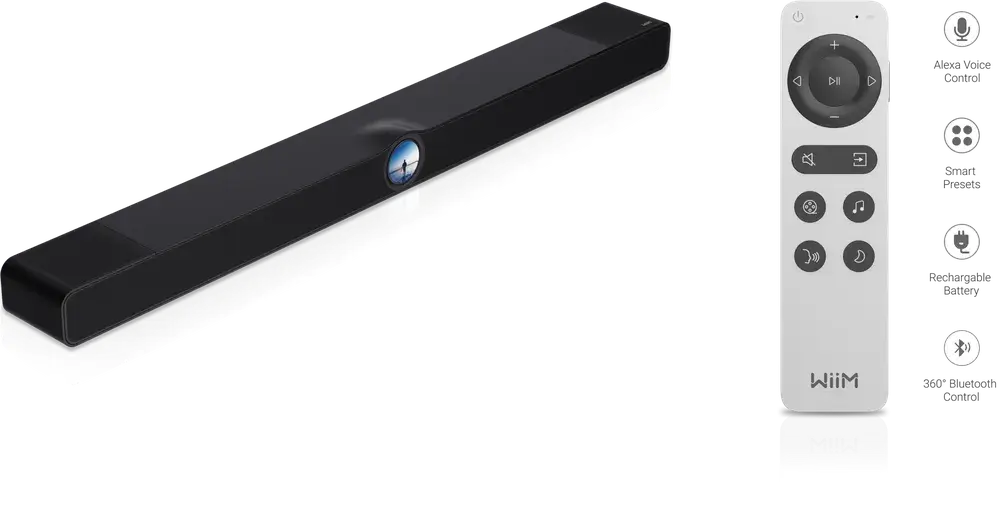
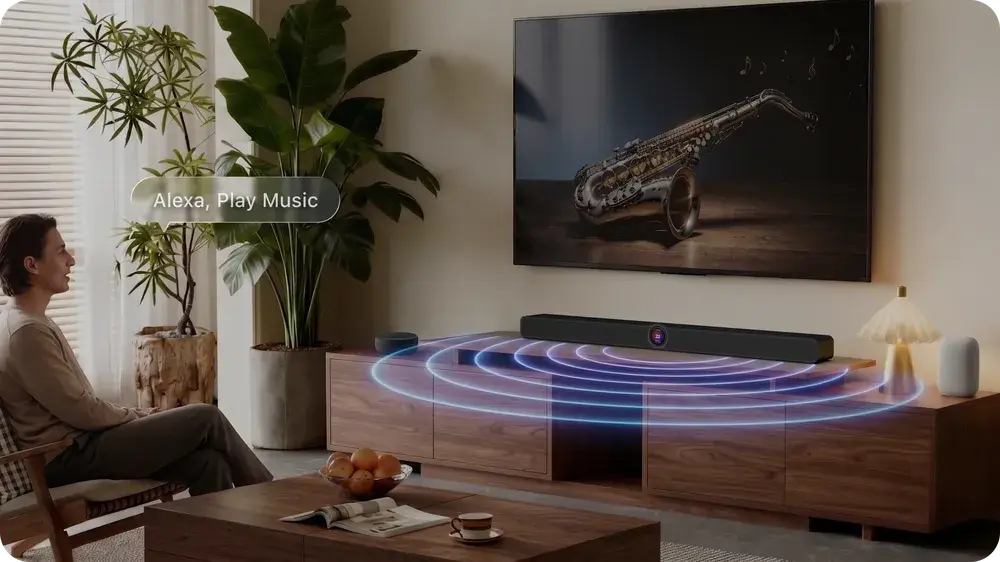
Voice control on the WiiM Bar works with Alexa and Google Assistant, using an external Alexa or Google Home device for hands-free listening rather than a built-in far-field microphone on the bar itself. The included Voice Remote 2 Lite covers playback, volume, source switching, sound modes, mute and unmute, and standby, giving a direct hardware option that doesn't depend on WiFi or an app being open. Between the remote, voice assistants, and the on-device display, owners have three ways to operate the bar without necessarily reaching for the WiiM Home App, which remains the option for deeper setup, grouping, and EQ work.
How does the acoustic system deliver height effects and bass from a single bar?
The WiiM Bar's acoustic system uses eight drivers and four passive radiators to produce its 3.0.2 layout: three front mid-woofers and three front tweeters cover the main soundstage, two top-firing full-range drivers generate the height channels used for Dolby Atmos and DTS:X, and four passive radiators, two front and two rear, reinforce low-frequency output without adding a powered subwoofer driver inside the cabinet. This layout is what lets a single bar claim a 3.0.2 designation, three front channels plus two height channels, rather than needing an external speaker for overhead effects. A maximum system power of 135 W is shared across this driver set, and it's the placement and angle of the top-firing drivers, not power alone, that sends sound upward for the height effects Dolby Atmos and DTS:X rely on.
How does RoomFit adjust sound to different rooms?
RoomFit is the WiiM Bar's automatic room-correction feature, and it uses a connected phone's microphones to analyse a room's layout and speaker placement before adjusting the bar's output to suit that specific space. This addresses a common problem with fixed-driver soundbars: reflective walls, open-plan layouts, or off-centre placement all change how front and height channels reach a listener, and RoomFit's one-tap analysis removes the need for manual trial and error. Clear Voice and AI Dialog Enhancement process dialogue frequencies separately from this room tuning, keeping speech forward during busy scenes, while Night Mode narrows the gap between loud and quiet passages for lower-volume listening.
What streaming services and casting protocols does the WiiM Bar support?
The WiiM Bar streams directly through the WiiM Home App, which gives access to more than 20 music services including Spotify, Amazon Music, TIDAL, Qobuz, Deezer, TuneIn, and iHeartRadio. Casting protocols extend this further: Google Cast Audio, Spotify Connect, TIDAL Connect, Qobuz Connect, Amazon Music Cast, DLNA/UPnP, Qplay 3.0, LMS, and Roon all connect to the bar directly, so services with native casting support don't need the WiiM Home App open to play. This range matters for buyers who use several streaming services across a household, since it avoids locking playback into a single ecosystem.
How does multi-room grouping work across WiiM devices?
Grouping the WiiM Bar with other WiiM devices, such as the WiiM Amp, WiiM Ultra, WiiM Pro, WiiM Mini, or WiiM Edition speakers, creates a synchronised multi-room system controlled from the WiiM Home App. Sources that aren't natively networked, including HDMI eARC, optical, line-in, and Bluetooth input, can still be shared to a group by treating the bar as part of a WiiM device group, which extends TV or physical-source audio to other rooms rather than confining it to the room the bar sits in. Alexa multi-room and Google Cast multi-room are also available where those ecosystems are already in use.
Where does the WiiM Bar sit within WiiM's range and against other soundbars?
WiiM Bar occupies the entry point of WiiM's home theatre lineup: a self-contained 3.0.2 Dolby Atmos and DTS:X soundbar that expands to 5.1.2 through separately sold surround and subwoofer hardware, rather than a bar sold as part of a fixed bundle from launch. Within WiiM's own product range, the Bar is the TV-anchored device, while the WiiM Amp, WiiM Ultra, WiiM Pro, WiiM Mini, and WiiM Edition speakers serve as music-first streamers that group with the Bar for whole-home listening or act as its wireless surround channels once added. Buyers who already own, or plan to own, other WiiM streaming devices get the most from this positioning, since the Bar shares the same app, account, and grouping system rather than adding a separate control layer to the household. Buyers who need AirPlay 2 support, or who want a bar without an expansion path, should weigh that against the Bar's staged 3.0.2-to-5.1.2 design before deciding.