Why Choose the WiiM Bar 3.1.2 Dolby Atmos Soundbar with Wireless Subwoofer?
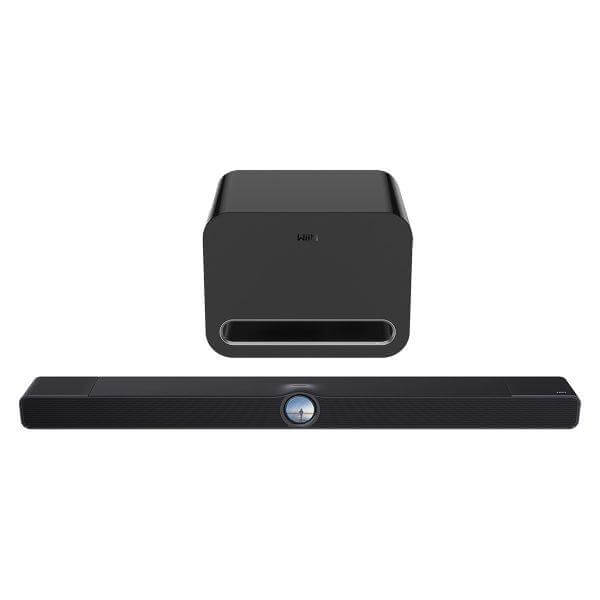
The WiiM Bar 3.1.2 Dolby Atmos Soundbar with Wireless Subwoofer is a bundle that pairs the WiiM Bar with the WiiM Sub Pro to move a home theatre setup beyond what a single soundbar can deliver on its own. The soundbar handles dialogue, height effects, and everyday streaming through its own 8-driver array, while the Sub Pro adds low-frequency output that a compact bar chassis can't reproduce alone. This combination suits buyers who want cinematic bass and clear dialogue from a system that still installs as easily as a single bar, without committing to a full multi-box receiver setup. It also suits anyone planning to grow their system later, since both units are part of WiiM's wider wireless ecosystem rather than a fixed, closed pairing.
Which Surround Formats and TV Connections Does the Soundbar Support?
The WiiM Bar is compatible with a television through HDMI eARC, which carries high-bitrate audio back from the TV without a separate optical run. It decodes LPCM, Dolby Atmos, Dolby TrueHD, Dolby Digital Plus, AC3, DTS, and DTS:X, so it reads the audio format a streaming app or disc source is already sending rather than requiring the source to downmix first. Two top-firing height drivers work alongside eARC decoding to add vertical height cues for Atmos and DTS:X content, which is what separates a 3.0.2 channel layout from a conventional flat stereo bar.
How Can the WiiM Bar 3.1.2 Expand into a Full 5.1.2 Home Theatre System?
The WiiM Bar 3.1.2 is a 3.0.2 configuration on its own, and the Sub Pro included in this bundle brings it to 3.1.2. From there, the system is expandable by grouping with other compatible WiiM devices through the WiiM Home App to add wireless rear surround speakers, taking the setup to a full 5.1.2 layout. This matters for buyers who don't want to commit to every channel at once: the bar and Sub Pro form a working starting point, and rear surrounds can be added later as separate purchases rather than as part of a bundle that has to be replaced.
Can the WiiM Sub Pro Connect to Non-WiiM Audio Equipment?
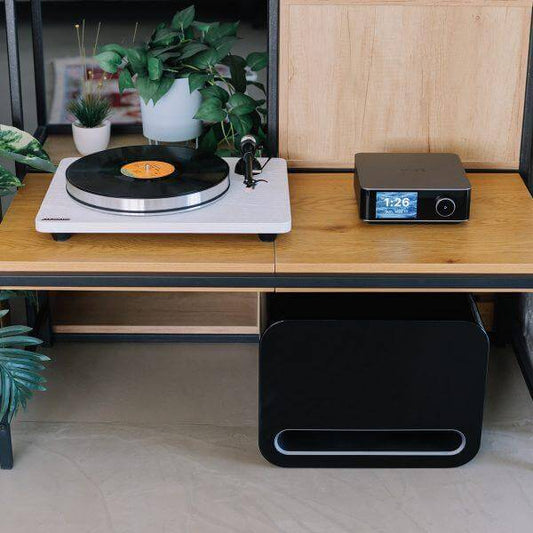
The WiiM Sub Pro is not limited to WiiM devices, since it includes an RCA subwoofer input that works with any receiver, amplifier, or soundbar that has a standard subwoofer output. Buyers replacing bass on an existing non-WiiM system, or adding the Sub Pro to a separate hi-fi setup, can wire it in directly rather than relying on wireless pairing. Wireless pairing with WiiM streamers, amps, and speakers remains available over Wi-Fi 6, so the same subwoofer can move between a wired third-party setup and a wireless WiiM one depending on how the room is arranged.
How Do You Set Up and Calibrate the System for Your Room?
Setup for the WiiM Bar 3.1.2 is a matter of powering on the bar and Sub Pro and connecting each to Wi-Fi or Ethernet through the WiiM Home App. RoomFit auto-correction is then run through a connected mobile device's microphone, which carries out a calibration sweep across both the bar and the subwoofer and adjusts frequency response for the specific room layout and speaker placement rather than relying on a fixed factory tuning. This removes manual trial-and-error EQ adjustment for buyers who don't want to test crossover points and levels themselves, though the WiiM Home App also exposes a 10-band parametric EQ along with manual crossover, phase, level, and latency controls on the Sub Pro for anyone who wants to fine-tune the result afterwards.
How Does the Soundbar Improve Dialogue Clarity and Late-Night Listening?
The WiiM Bar is equipped with Clear Voice and AI Dialog Enhancement, dialogue-focused listening modes that bring speech forward during busy scenes without needing manual EQ changes. Night Mode is a separate setting available alongside these that manages dynamic range for lower-volume or late-night viewing, compressing loud effects so dialogue stays audible without waking a household. Both are relevant to buyers who watch a mix of dialogue-heavy content and action content on the same system, since neither requires switching sound modes manually per genre.
How Do You Control and Stream Music Day to Day?
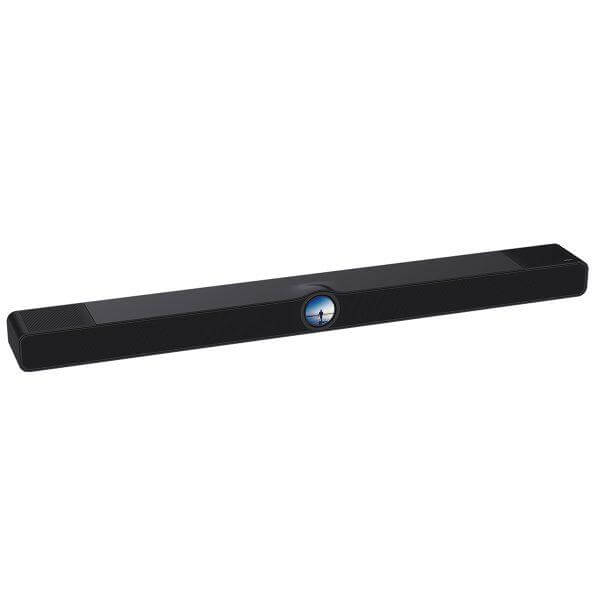
The WiiM Bar 3.1.2 is controlled through three routes: its own glass-covered 2.1-inch round touch display, the WiiM Home App, and voice control through Alexa, Google Assistant, or the included Voice Remote 2 Lite. The touch display shows album art, track information, EQ settings, Smart Presets, Recently Played content, clock faces, and source selection directly on the bar, so playback and source switching don't always require opening the app. For streaming, the system is compatible with more than 20 music services natively through the WiiM Home App, and also supports Google Cast Audio, Spotify Connect, TIDAL Connect, Qobuz Connect, Amazon Music Cast, DLNA/UPnP, Qplay 3.0, LMS, and Roon, alongside Bluetooth with LE Audio and physical optical, line-in, USB Audio In/Out, and USB Host connections for non-networked sources.
What's Inside the WiiM Bar 3.1.2's Acoustic Design?
The WiiM Bar's sound is produced by an 8-driver array made up of three front mid-woofers, three front tweeters, two top full-range height drivers, and four passive radiators, backed by 135W of system power. The front tweeters and mid-woofers carry stereo and dialogue content, the two height drivers fire upward to support the Atmos and DTS:X height channels, and the four passive radiators extend bass output from a chassis too shallow to fit larger long-throw woofers. This layout is what allows the bar to produce a wide soundstage and clear vocals on its own, before the Sub Pro is added for deeper low-frequency extension.
How Is the WiiM Sub Pro Engineered for Deep, Distortion-Free Bass?
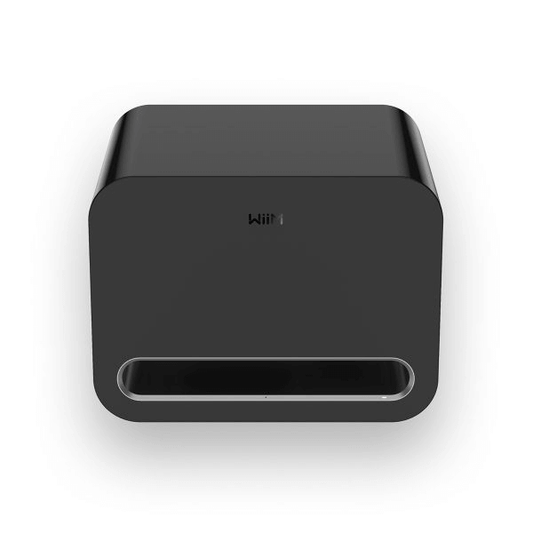
The WiiM Sub Pro is built around custom 8-inch drivers housed in a vibration-resistant chassis, a construction choice aimed at keeping the cabinet from rattling or resonating at higher output levels. It's rated at 250W of distortion-free bass output down to 25Hz, a low-frequency figure that reaches well below what most compact soundbars can produce from an internal driver alone. Smart Power Management is built in to put the Sub Pro into standby automatically and detect RCA signal or plug input, so it powers down when idle without needing to be switched off manually after each listening session.
Where Does the WiiM Bar 3.1.2 Sit Within WiiM's Speaker Range?
The WiiM Bar 3.1.2 Dolby Atmos Soundbar with Wireless Subwoofer is positioned as WiiM's entry point into home theatre audio, built to anchor TV sound while staying compatible with the rest of the WiiM lineup rather than functioning as a standalone, closed system. Buyers who already own or plan to add WiiM Amp, Ultra, Pro, Mini, or Edition speakers can group the bar and Sub Pro with those devices for synchronised multi-room music playback across the whole home, not just within the home theatre setup. This makes the bundle a fit for buyers building out a wireless WiiM system over time, as opposed to buyers who want a single fixed soundbar-and-subwoofer pair with no further expansion path.