What does the WiiM Bar 5.0.2 Dolby Atmos Soundbar add over a standard soundbar?
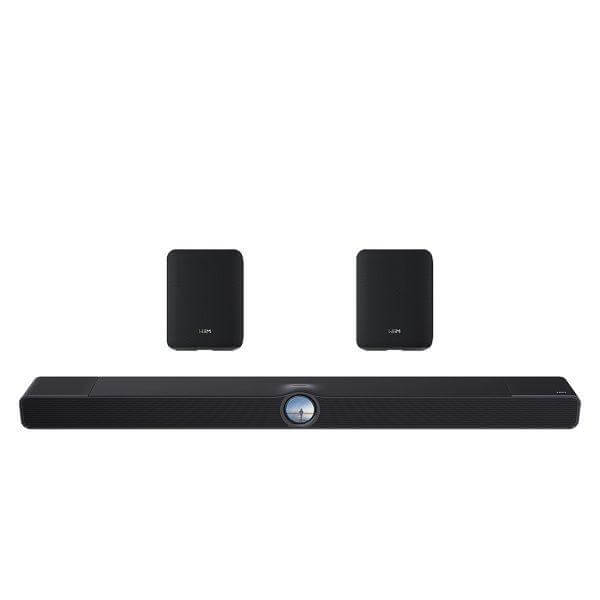
The WiiM Bar 5.0.2 Dolby Atmos Soundbar with Wireless Rear Speakers is a bundle that pairs the WiiM Bar with two WiiM Sound Lite speakers, moving a buyer from a single-unit soundbar into a genuine surround layout without running speaker cable across the room. The WiiM Bar on its own delivers a 3.0.2 Dolby Atmos configuration, using its top-firing height channels for overhead effects. Adding the two Sound Lite units gives the system independent wireless rear left and right channels, which is what turns the setup into a 5.0.2 arrangement rather than a front-only soundbar. A buyer choosing this bundle over the standalone bar is choosing surround placement and separation of effects at the outset, rather than treating rear channels as a later upgrade.
How does the WiiM Bar 5.0.2 Dolby Atmos Soundbar expand into a 5.1.2 home theatre?
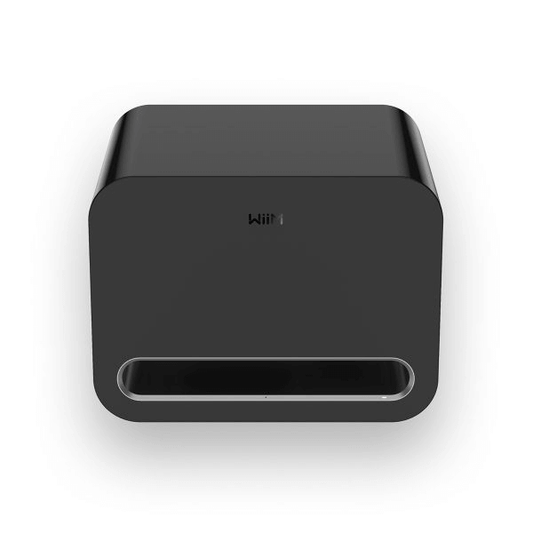
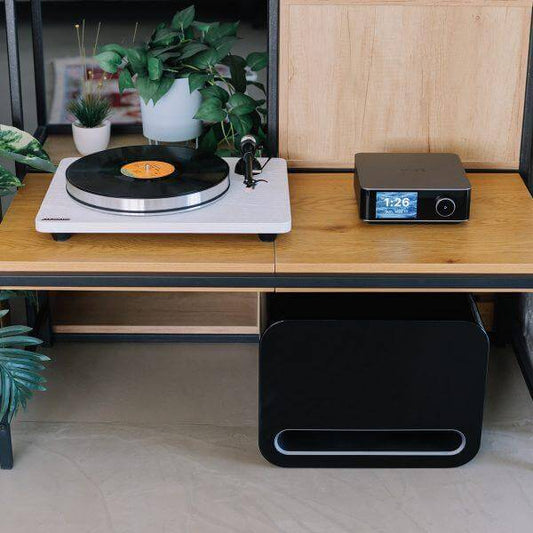
The WiiM Bar 5.0.2 Dolby Atmos Soundbar with Wireless Rear Speakers is built around an expandable platform rather than a fixed channel count. Starting from the 3.0.2 soundbar, a buyer can group compatible WiiM devices to add wireless surrounds and subwoofer support, growing the system into a 5.1.2 home theatre setup. In this bundle, the surround role is already filled by the two included Sound Lite speakers, so the remaining upgrade path is a compatible WiiM subwoofer for low-frequency effects that the bar's own drivers and passive radiators are not designed to reproduce at full output. This staged approach means a buyer isn't locked into buying every component at once and can complete the surround and bass layers separately as budget allows.
How do the wireless rear speakers connect and synchronise with the bar?
The WiiM Home app is the setup point for the surround channels, rather than a physical wiring step. A buyer assigns each Sound Lite speaker to the surround left or surround right position inside the app, and the system then synchronises both units wirelessly with the bar over the WiiM ecosystem. Because Wi-Fi 6E and Bluetooth 5.3 with LE Audio sit behind this connection, the speakers hold a stable link over tri-band Wi-Fi (2.4/5/6 GHz) or Bluetooth, which matters for a buyer placing rear speakers away from the router or main listening position. Ethernet is also available on the Sound Lite units for a wired fallback in rooms with poor wireless coverage. No additional receiver or amplifier is required to complete the rear channels, since routing and channel assignment happen entirely through the app.
What do the WiiM Sound Lite speakers contribute to the rear channels?
Each WiiM Sound Lite is a compact wireless speaker rated at 100W total output, built around a single 4-inch long-throw woofer and two full-range tweeters, with a 2.4kHz crossover splitting the load between them. This driver arrangement is what allows a small enclosure to still produce a filled-in rear channel rather than a thin, tweeter-only effect. Audio is handled at up to 24-bit/192kHz with gapless playback, and AI RoomFit applies automatic or assisted tuning to correct for how the speaker's position and the room's surfaces affect the sound reaching the listener. In this bundle the Sound Lite units function specifically as the surround pair in a Dolby setup rather than as standalone stereo speakers, and the version included here omits the 1.8-inch display and voice remote found on other WiiM Sound models, since display and physical remote control are handled by the bar itself.
How is everyday control managed across the system?
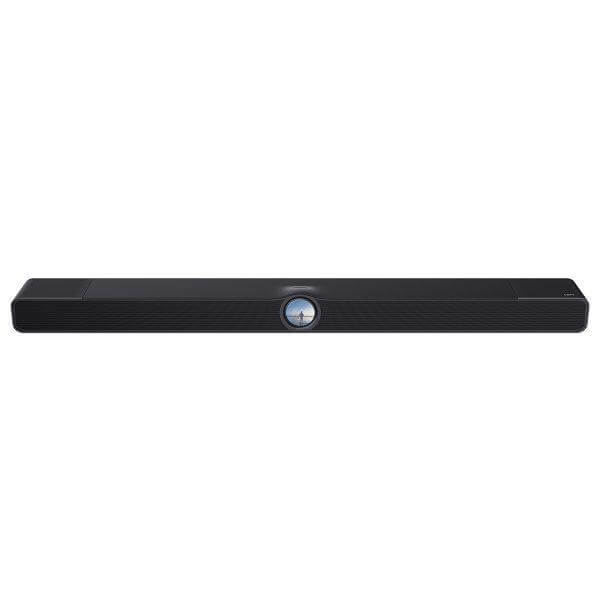
The WiiM Bar's touch display is a glass-covered, 2.1-inch round screen that shows album art, track information, time, EQ settings, Smart Presets, recently played content, clock faces, dynamic wallpapers, and playback or source controls directly on the unit, so a buyer can adjust the system without opening an app for routine tasks. Beyond the display, the whole system, including the paired rear speakers, can be managed through the WiiM Home app, Alexa, Google Assistant, or the included Voice Remote 2 Lite. Smart Presets give one-tap access to frequently used content and settings, which is useful once EQ, room correction, and channel assignment have been set up and a buyer wants to avoid repeating that configuration each session.
How does the system handle Dolby Atmos and DTS:X playback for movies and TV?
The WiiM Bar's HDMI eARC input is the pathway for cinematic playback, supporting LPCM, Dolby Atmos, Dolby TrueHD, Dolby Digital Plus, AC3, DTS, and DTS:X. The top-firing height channels on the bar reproduce the overhead layer these formats carry, while ClearVoice and AI Dialog Enhancement work on the centre and dialogue content specifically, lifting speech clarity without requiring the listener to raise overall volume. Night Mode compresses the dynamic range for lower-volume or late-night viewing, which is a separate control from dialogue enhancement and addresses loud effects rather than quiet speech. Together with the wireless rear channels from the Sound Lite speakers, this gives the bundle a genuine front-to-back and overhead soundstage for film and television content, rather than a virtualised surround effect from a single enclosure.
What streaming services and connectivity does the system support?
The WiiM Bar and Sound Lite speakers are connected over Wi-Fi 6E, Ethernet, and Bluetooth with LE Audio, covering both music streaming and everyday control links from a single set of radios. Through the WiiM Home app, a buyer can reach more than 20 music services directly, or connect via Google Cast Audio, Spotify Connect, TIDAL Connect, Qobuz Connect, Amazon Music Cast, DLNA/UPnP, Qplay 3.0, LMS, and Roon. This range of protocols means a buyer isn't tied to one streaming ecosystem when building out the system, and existing accounts on services like Spotify or TIDAL can be used to control playback without opening the WiiM app first.
How does the WiiM Bar 5.0.2 Dolby Atmos Soundbar scale into whole-home audio?
The WiiM Bar is a device that integrates with WiiM Amp, Ultra, Pro, Mini, and Edition speakers for synchronised multi-room music grouping, separate from the Dolby surround assignment used for the included Sound Lite pair. A buyer already running WiiM devices elsewhere in the home can group the bar into that wider system for music playback, while the two Sound Lite units remain dedicated to their surround role during movie and TV playback. This separation means expanding into whole-home audio later doesn't require reconfiguring the home theatre setup already in place.
How is the WiiM Bar built to support its soundstage?
The WiiM Bar's acoustic output is produced by an 8-driver array: three front mid-woofers, three front tweeters, two top full-range height drivers, and four passive radiators, working together to cover a wide soundstage, clear vocals, height effects, and low-frequency output from a single enclosure. The same RoomFit correction described for the rear speakers also applies to the bar's front and height channels, adjusting output for the bar's own placement rather than the room as a whole. The bar itself ships in a gloss black finish, as specified for this bundle's soundbar unit.
Who should choose this bundle over the standalone WiiM Bar?
The WiiM Bar 5.0.2 Dolby Atmos Soundbar with Wireless Rear Speakers is the better choice for a buyer who wants the surround layer in place from day one, using the WiiM ecosystem's wireless grouping instead of running speaker wire to the rear of the room. A buyer who wants front-only Dolby Atmos playback from one enclosure, with the option to add surrounds later, is better served by the standalone WiiM Bar instead. Within the wider WiiM range, this bundle also sits below a full 5.1.2 setup that would add a dedicated subwoofer, so it's the appropriate starting point for a buyer building a home theatre system in stages: soundbar and surrounds first, with subwoofer and further multi-room speakers added later through the same app-based grouping.