WiiM Bar 5.1.2 Dolby Atmos Soundbar Home Theatre
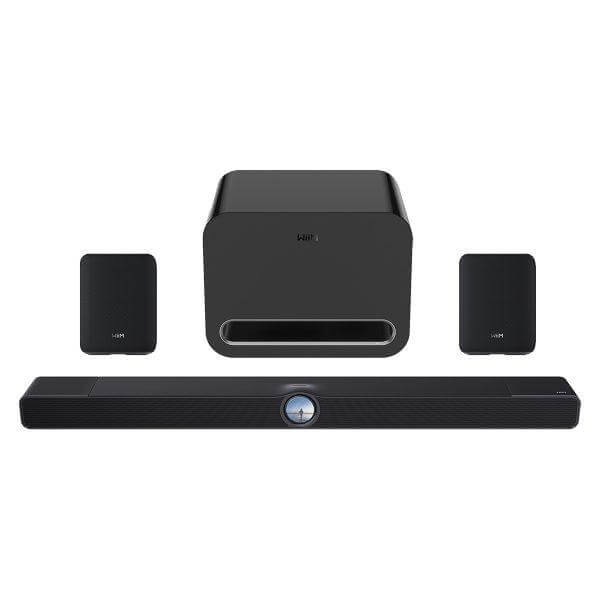
The WiiM Bar 5.1.2 Dolby Atmos Soundbar Home Theatre is a three-piece system for buyers who want a Dolby Atmos soundbar now and a clear path to full surround later. It pairs the WiiM Bar 3.0.2 Dolby Atmos soundbar with a WiiM Sub Pro wireless subwoofer and two WiiM Sound Lite speakers, so the rear left and rear right channels ship in the box rather than as a future add-on. That's the choice this bundle settles for you: a standalone Atmos bar covers 3.0.2 sound from one unit, while this package gets you a 3.0.2 bar today and a wireless 5.1.2 layout as soon as you switch the surrounds and subwoofer on in the WiiM Home app. It suits anyone upgrading a TV setup who doesn't want to shop separately for a compatible subwoofer and surrounds later, and who wants all three components matched and ready to work together from day one.
What's included in the bundle?
The WiiM Bar 5.1.2 Dolby Atmos Soundbar Home Theatre is a bundle of three matched components: the WiiM Bar 3.0.2 Dolby Atmos soundbar in gloss black, a WiiM Sub Pro wireless subwoofer, and two WiiM Sound Lite speakers. Buying them together removes the guesswork of sourcing a subwoofer or surrounds from a different product line, since all three are built to sync wirelessly within the WiiM ecosystem through the WiiM Home app.
How does the WiiM Bar deliver Dolby Atmos and DTS:X sound from a single soundbar?
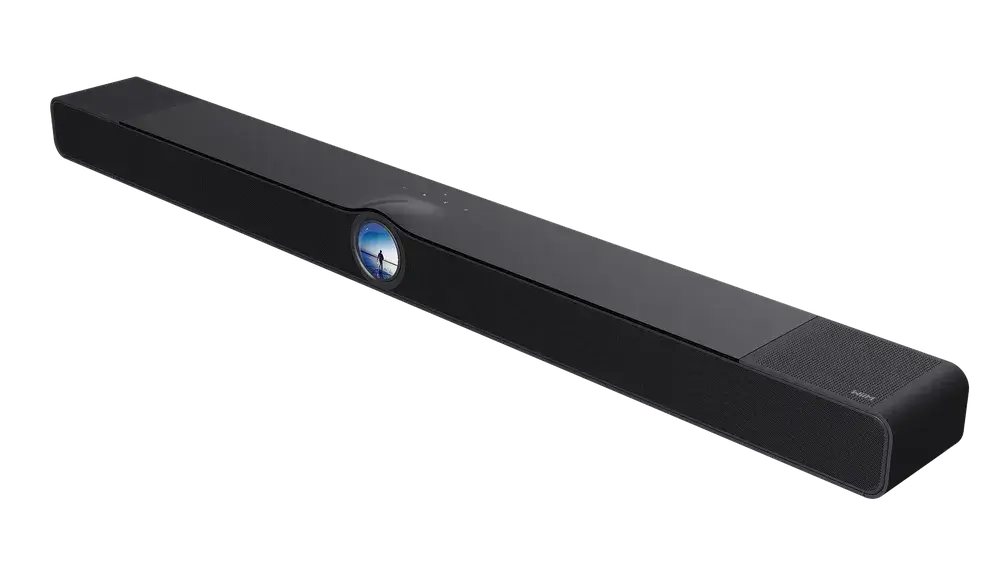
The WiiM Bar is an 8-driver Dolby Atmos soundbar: three front mid-woofers and three front tweeters carry the main soundstage and vocals, two top-firing height drivers add overhead effects, and four passive radiators reinforce bass. This layout is what lets the bar output front left, right, and centre channels plus height cues from one enclosure, before any surrounds or subwoofer join in. HDMI eARC and support for LPCM, Dolby Atmos, TrueHD, Dolby Digital Plus, AC3, DTS, and DTS:X mean the bar decodes the formats carried by most current TVs, streaming boxes, and games consoles, so you won't need to check format support against your existing source devices separately.
How do I expand the WiiM Bar into a full 5.1.2 home theatre?
Expansion here is a setup step, not a separate purchase. The WiiM Sub Pro and two WiiM Sound Lite speakers already sit in the box, so through the WiiM Home app you assign each Sound Lite to the surround left or surround right position, and the system syncs the bar, subwoofer, and both surrounds wirelessly. That takes the bar from a 3.0.2 configuration to a full 5.1.2 layout, adding independent rear channels and low-frequency output without running speaker cable across the room.
What do the WiiM Sub Pro and WiiM Sound Lite speakers add to the surround setup?
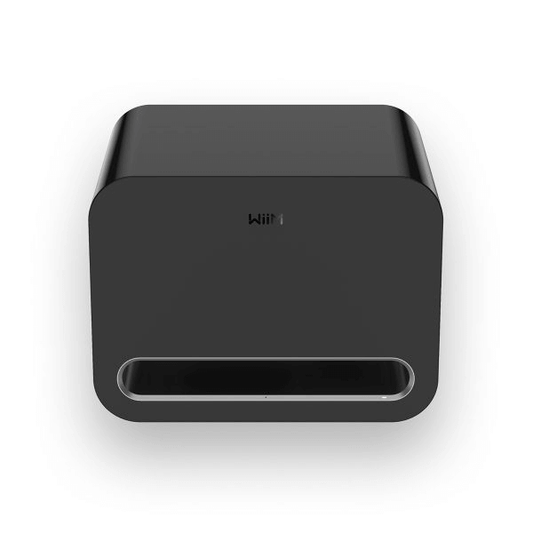
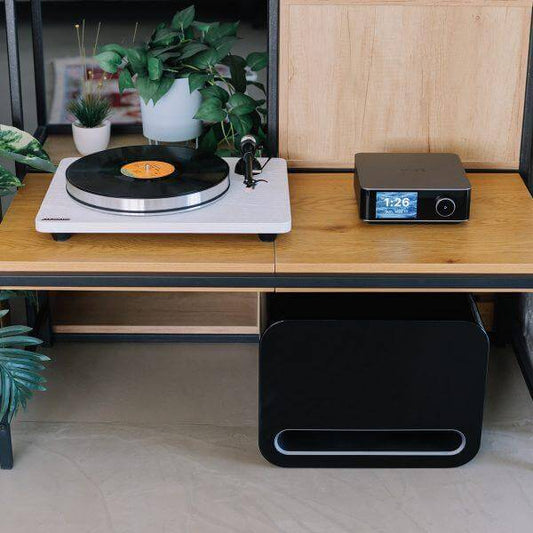
The WiiM Sub Pro is a wireless subwoofer rated at 250W, with distortion-free bass down to 25Hz for film effects and music bass lines alike. Each WiiM Sound Lite is a compact 100W speaker built around a 4-inch woofer and dual tweeters, with its own room correction, so it holds a balanced tone even placed off-axis in a rear position. A pair of Sound Lite speakers can also run in true stereo pairing for a wider soundstage in a different room, or take on centre or surround duty in other compatible WiiM home-theatre setups, which gives you reuse value if your layout changes later.
How does RoomFit auto-correction adjust the WiiM Bar 5.1.2 Dolby Atmos Soundbar Home Theatre to my room?
RoomFit auto-correction is a tuning process that adapts playback to your room's layout and speaker placement. It matters more here than on a single-box speaker, because sound now spreads across a front bar, a subwoofer, and two rear speakers that all need to stay balanced against each other. That takes the calibration burden off you: there's no manual levelling between the bar, sub, and surrounds once they're positioned.
How does the WiiM Bar handle dialogue clarity and late-night listening?
Clear Voice and AI dialogue enhancement are listening modes that focus processing on speech frequencies, aimed at anyone who finds dialogue getting lost under music or effects. Night Mode narrows the gap between quiet and loud passages, which suits late-night or lower-volume viewing where a sudden loud effect would otherwise jar. Both run at the processing stage, so there's no extra equipment or repositioning needed to use them.
What streaming services work with the system?
The WiiM Bar streams through more than 20 music services directly from the WiiM Home app, plus Google Cast Audio, Spotify Connect, TIDAL Connect, Qobuz Connect, Amazon Music Cast, DLNA/UPnP, Qplay 3.0, LMS, and Roon. If you're already using one of these ecosystems, you can start playback from your existing app instead of being routed through WiiM's interface alone, which matters if your household runs more than one streaming subscription or a Roon library.
What connectivity does the WiiM Bar offer?
Wi-Fi 6E, wired Ethernet, and Bluetooth with LE Audio cover streaming, control, and everyday playback. Wi-Fi 6E gives the bar access to the 6GHz band, useful in homes where several devices compete for bandwidth near the TV, while Ethernet offers a wired fallback if you'd rather not rely on Wi-Fi at all. Bluetooth with LE Audio covers short-range casting from a phone or laptop without touching the home network.
How do I control the WiiM Bar 5.1.2 Dolby Atmos Soundbar Home Theatre day to day?
The WiiM Bar is fronted by a glass-covered 2.1-inch round touch display, showing album art, track information, time, EQ settings, Smart Presets, recently played content, clock faces, and playback or source controls right on the unit. You don't need to pick up a phone for basic control. Beyond the display, you can manage the system through the WiiM Home app, Alexa, Google Assistant, or the included Voice Remote 2 Lite, whichever is closest to hand.
Can the system extend into whole-home audio later?
The WiiM ecosystem lets the bar, sub, and Sound Lite speakers group with other compatible WiiM devices, including WiiM Amp, Ultra, Pro, Mini, and Edition speakers, for synchronised multi-room playback. If you start with this bundle in the living room, any WiiM speakers you add to other rooms later can join the same grouped playback rather than sitting as a separate, unconnected system.
Who should choose the WiiM Bar 5.1.2 Dolby Atmos Soundbar Home Theatre over a standalone WiiM Bar?
A standalone WiiM Bar is a 3.0.2 Dolby Atmos soundbar on its own, which suits a smaller room or a buyer mainly after clearer TV dialogue and some overhead effect without extra boxes. The WiiM Bar 5.1.2 Dolby Atmos Soundbar Home Theatre is the better fit if you want discrete rear channels and dedicated bass from the outset, or if you already know you'll expand a bar-only setup and would rather buy the subwoofer and surrounds as a matched bundle than source them separately afterwards. Because the WiiM Sub Pro and WiiM Sound Lite speakers also work as standalone WiiM products, this bundle suits a buyer planning a wider WiiM multi-room setup too, since the components you buy here keep their own regrouping options if your home-theatre layout changes down the line.